
A good Christmas out of office message says three things: that you are away and when you return, what will happen to the email, and who to contact if it is urgent. Everything else is optional. Below are 123 ready-to-send Christmas out of office messages: for 14 roles, 12 real situations, six tones and every channel from email to voicemail to a Slack status.
Want the free printable pack? Jump to the free Free Out-of-Office Pack.
Copy one, fill in at most three brackets (the return date, a backup name and a backup email) and send.
Key takeaways
- Three things matter: the return date, what happens next and one contact.
- Keep it under 80 words. Short is kinder to the reader.
- Name a team address, not your whole chain of command.
- Match tone to audience: professional for clients, lighter for colleagues.
- Leave out travel plans and personal numbers.
- Set a reminder to turn it off when you return.
Start Here: The 5-Part Formula and Which Message to Pick
Every Christmas holiday out of office message follows five parts, and the same five parts make any Christmas out of office reply clear. Use them in this order and you will never write a confusing one.
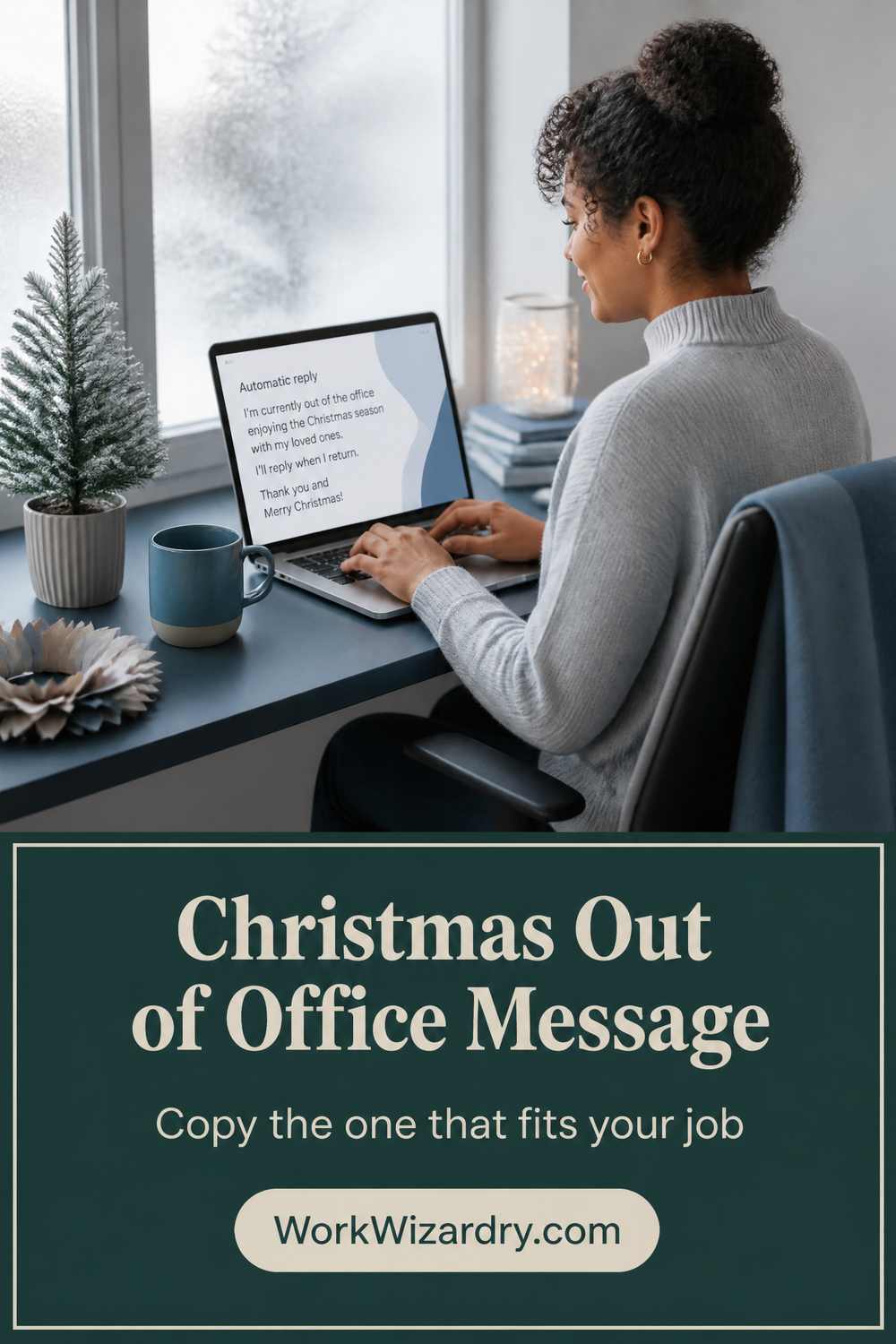
Treat each message below as a Christmas out of office message template: copy it, fill the brackets and send.
| Part | What to do | Example |
|---|---|---|
| 1. Greeting and dates | Say you are away, for what, and when you return | I am out of the office for Christmas and will be back on [DATE]. |
| 2. What happens to the email | Say when it will be read | I will reply when I return. |
| 3. Who to contact | One named person or one team address | For urgent matters, contact [BACKUP NAME] at [BACKUP EMAIL]. |
| 4. What you can promise | Only what is true | Messages are answered in the order received. |
| 5. Sign-off | One warm line | Wishing you a restful holiday. |
Which message do you need?
| You are | Use | Find it in |
|---|---|---|
| You are a regular employee going away | Role messages: employee | Ready to send by role |
| The whole office or shop is closed | Situation: office fully closed | Ready to send by situation |
| You will still check email now and then | Situation: checking occasionally | Ready to send by situation |
| You want it funny but safe | Tone: funny | Ready to send by tone |
| You need a Slack status or a voicemail | Channel messages | Channel messages |
| You want a message that reveals little | The security-safe version | Security-safe version |
| It is going to customers in a chat widget | Auto-responder text | Channel messages |
| You work in the UK, Australia or New Zealand | Local wording | UK, Australia and New Zealand |
Christmas Out of Office Message by Role: Short, Standard and Warm
Each role has three versions. Use the short one for chat or a busy inbox, the standard for most emails and the warm for people you know.
These are Christmas out of office message examples for employees, managers, executives, customer support, sales and more, including a Christmas out of office message for customer service, a Christmas out of office message for teachers and a Christmas out of office message for small business owners. Each also works as a Christmas out of office email you paste into your settings.
Employee
The standard message for most people.
- Short: I am out of the office for the Christmas break and will reply from [DATE]. For anything urgent, please contact [BACKUP NAME] at [BACKUP EMAIL].
- Standard: Thank you for your email. I am away for the Christmas holiday and will be back on [DATE]. I will reply to your message when I return. If your matter is urgent, please contact [BACKUP NAME] at [BACKUP EMAIL], who is covering my work. Wishing you a restful holiday.
- Warm: Hello, and happy holidays! I am taking time off to rest and see my family, and I will be back on [DATE]. Your message matters, and I will read it as soon as I return. For anything that cannot wait, [BACKUP NAME] at [BACKUP EMAIL] will be glad to help.
Manager
Say who decides while you are away.
- Short: I am away until [DATE] for the Christmas break. For team matters, please contact [BACKUP NAME] at [BACKUP EMAIL].
- Standard: Thank you for your message. I am out of the office for the Christmas break and will return on [DATE]. During this time, [BACKUP NAME] is covering decisions for my team and can be reached at [BACKUP EMAIL]. I will respond to everything else when I am back.
- Warm: Thank you for writing. My team and I are taking time to rest over Christmas, and I will return on [DATE]. If you need a decision before then, please contact [BACKUP NAME] at [BACKUP EMAIL]. Wishing you and your team a warm and restful break.
Executive
Brief, calm, with a named office.
- Short: I am out of the office until [DATE]. For urgent matters, please contact [BACKUP EMAIL].
- Standard: Thank you for your email. I am out of the office for the holiday period and will return on [DATE]. Messages will be answered in the order received after I return. For urgent matters, please contact [BACKUP NAME] at [BACKUP EMAIL].
- Warm: Thank you for reaching out. I am spending the holidays away from my desk and will return on [DATE]. I will read your message with care when I am back. For anything urgent, [BACKUP NAME] at [BACKUP EMAIL] will assist. I wish you a peaceful Christmas.
Customer support
Clear on the queue and on what counts as urgent.
- Short: Our support team is closed for Christmas and returns on [DATE]. For urgent issues, please email [BACKUP EMAIL].
- Standard: Thank you for contacting support. Our team is closed for the Christmas holiday and will reopen on [DATE]. Your message is in our queue, and we will reply in the order it arrived. For urgent issues, please email [BACKUP EMAIL] and write URGENT in the subject line.
- Warm: Hello, and thank you for writing. Our support team is home with family until [DATE], and your message is safe in our queue. We will be back with a real answer as soon as we reopen. If something cannot wait, please email [BACKUP EMAIL] with URGENT in the subject. Happy holidays from all of us.
Sales
Keep the lead warm.
- Short: I am out until [DATE] for Christmas. For an immediate quote or order, please contact [BACKUP NAME] at [BACKUP EMAIL].
- Standard: Thank you for your interest. I am out of the office for Christmas and will return on [DATE]. I will follow up on your inquiry in my first week back. If you need a quote or have an order deadline, please contact [BACKUP NAME] at [BACKUP EMAIL], who can help right away.
- Warm: Thanks for getting in touch, and happy holidays! I am away until [DATE], and I look forward to talking when I am back. If you are working to a deadline, [BACKUP NAME] at [BACKUP EMAIL] can take care of you in the meantime.
Account manager
Reassure clients their account is covered.
- Short: I am away until [DATE]. For your account, please contact [BACKUP NAME] at [BACKUP EMAIL].
- Standard: Thank you for your message. I am out of the office for Christmas and will return on [DATE]. Your account is being looked after by [BACKUP NAME], who can be reached at [BACKUP EMAIL]. I will pick up any open items personally when I am back.
- Warm: Thanks for writing. I am enjoying a few days with family and will be back on [DATE]. Your account is in good hands: [BACKUP NAME] at [BACKUP EMAIL] knows what we are working on and can help with anything urgent. Happy holidays to you and your team.
HR
Name what counts as urgent.
- Short: HR is closed for Christmas until [DATE]. For urgent employee matters, please contact [BACKUP EMAIL].
- Standard: Thank you for contacting Human Resources. Our office is closed for the Christmas holiday and will reopen on [DATE]. We will reply to your message when we return. For urgent matters affecting employee safety or pay, please contact [BACKUP NAME] at [BACKUP EMAIL].
- Warm: Thank you for writing to HR. We are taking a break to rest and recharge, and we will be back on [DATE]. We will answer your message with care when we return. If something is urgent, please contact [BACKUP NAME] at [BACKUP EMAIL]. Happy holidays to you and your family.
IT
Separate routine from urgent.
- Short: IT support is on reduced hours until [DATE]. For urgent outages, please email [BACKUP EMAIL].
- Standard: Thank you for contacting IT. Our team is on reduced hours for the Christmas holiday and will return to full service on [DATE]. We will answer routine requests when we return. For urgent outages or security issues, please contact [BACKUP EMAIL].
- Warm: Thanks for the ticket. The IT team is taking a short rest and will be back on [DATE]. If a system is down or you suspect a security problem, please email [BACKUP EMAIL] and we will respond. Happy holidays, and please save your work before you leave.
Marketing or agency
On-brand and clear about live campaigns.
- Short: We are closed for Christmas and back on [DATE]. For urgent campaign changes, please contact [BACKUP EMAIL].
- Standard: Thank you for your message. Our team is closed for the Christmas holiday and returns on [DATE]. We will respond to your request first thing when we are back. For live campaign issues, please contact [BACKUP NAME] at [BACKUP EMAIL].
- Warm: Hello from the studio. We are away to rest and refill our creativity until [DATE]. Your message is saved, and we will reply when we return. For live campaign problems, please reach [BACKUP NAME] at [BACKUP EMAIL]. Happy holidays to you and your team.
Finance or accounting
Reassure on payments and invoices.
- Short: Finance is closed until [DATE]. For urgent payment issues, please contact [BACKUP EMAIL].
- Standard: Thank you for your email. Our finance team is closed for the Christmas holiday and returns on [DATE]. Invoices and payment queries will be processed in the order received when we return. For urgent payment issues, please contact [BACKUP NAME] at [BACKUP EMAIL].
- Warm: Thanks for getting in touch. We are away for Christmas and will be back on [DATE]. Your invoice or query is safe with us, and we will process it as soon as we return. For anything urgent, please contact [BACKUP NAME] at [BACKUP EMAIL]. Happy holidays.
Healthcare front desk
Always point to emergency care first.
- Short: Our clinic is closed for Christmas until [DATE]. In an emergency, please call your local emergency number.
- Standard: Thank you for contacting our clinic. We are closed for the Christmas holiday and will reopen on [DATE]. We will reply to non-urgent messages when we return. If this is a medical emergency, please call your local emergency number or go to your nearest emergency department.
- Warm: Thank you for writing. Our team is closed to spend time with family until [DATE]. We will respond to your message when we reopen. If you need urgent care, please call your local emergency number or visit your nearest emergency department. Wishing you a healthy and peaceful holiday.
School or teacher
Point to the school office.
- Short: School is closed for the holiday break and I will reply from [DATE]. For urgent school matters, please contact [BACKUP EMAIL].
- Standard: Thank you for your message. School is closed for the Christmas break, and I will return on [DATE]. I will reply to your message then. For urgent school matters, please contact the school office at [BACKUP EMAIL].
- Warm: Hello, and happy holidays! I am taking time to rest with my family over the break and will return on [DATE]. I look forward to reading your message then. For anything urgent, the school office at [BACKUP EMAIL] will be glad to help.
Freelancer or consultant
Be honest about being one person.
- Short: I am on a Christmas break until [DATE] and will reply when I return.
- Standard: Thank you for getting in touch. I am taking a break for Christmas and will return on [DATE]. Projects in progress will resume then, and I will reply to new inquiries in the order they arrive. If something on a current project is time-sensitive, please write URGENT in the subject and I will check once a day.
- Warm: Thanks for your message. I run a one-person business, and I am closing the door for a few days to rest. I will be back on [DATE] and will reply to you then. If it is truly urgent, write URGENT in the subject and I will look once a day. Happy holidays.
Small business owner
Friendly, with order details.
- Short: We are closed for Christmas and reopen on [DATE]. We will reply to your message when we are back.
- Standard: Thank you for contacting us. Our shop is closed for the Christmas holiday and will reopen on [DATE]. Orders placed during the break will be processed when we return. If you have an urgent question, please email [BACKUP EMAIL].
- Warm: Thank you for writing to us! We are closed to spend Christmas with family and will reopen on [DATE]. Your order or message will be looked after the moment we are back. If it cannot wait, please email [BACKUP EMAIL]. Wishing you a warm, happy holiday from all of us.
Out of Office Message for Christmas Break by Situation
The best message matches what really happens to your inbox. These cover an office closure, reduced hours, on call, occasional checking, a shared inbox and more.
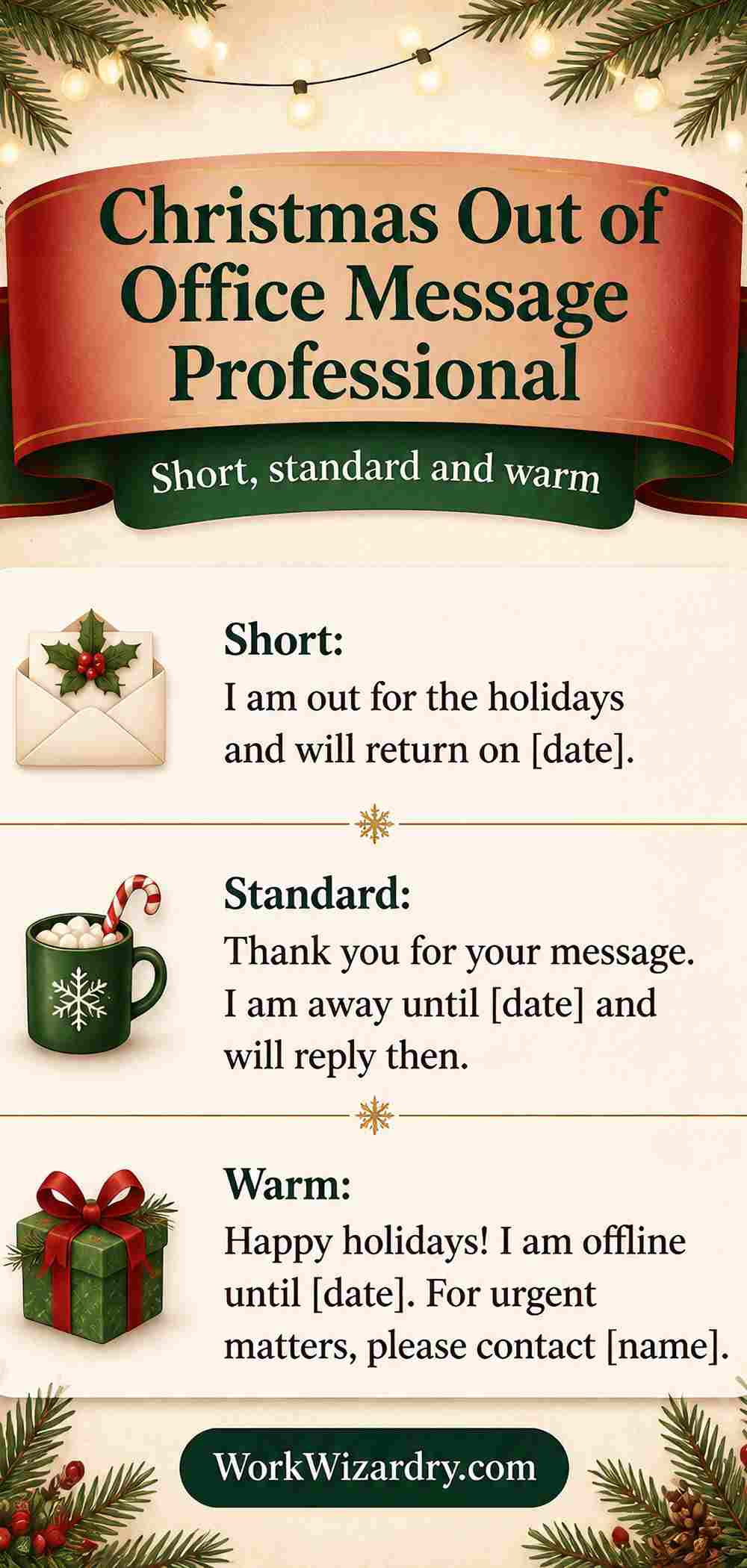
They also work as an office closed for holiday message, an out of office message Christmas closure and an out of office message for the holidays more generally. A public holiday out of office message is the simplest of all: the day, the return date and one contact.
The whole office is closed
No one is reading email.
- Our office is closed for the Christmas holiday and will reopen on [DATE]. Messages are answered in the order received after we reopen. For emergencies, please contact [BACKUP EMAIL].
- We are closed until [DATE]. Please email again then, or write to [BACKUP EMAIL] if it is an emergency.
Reduced hours, not fully away
Some cover, slower replies.
- Thank you for your message. Our team is on reduced hours until [DATE], so replies may take a few days. For urgent matters, please contact [BACKUP NAME] at [BACKUP EMAIL].
- We are working reduced hours over the holiday and will answer your message as soon as we can. Full service resumes on [DATE]. Urgent matters: [BACKUP EMAIL].
On call for emergencies only
Make the line of urgency clear.
- I am out of the office until [DATE]. Only emergencies, such as a system outage, should be sent to [BACKUP EMAIL]. All other messages will be answered when I return.
- Our on-call team can be reached at [BACKUP EMAIL] for emergencies during the holiday. For everything else, we will reply from [DATE].
Checking email occasionally
Set the expectation honestly.
- I am away for the Christmas holiday with limited access to email and will reply as soon as I can, no later than [DATE]. For urgent matters, please contact [BACKUP NAME] at [BACKUP EMAIL].
- I will be checking email only occasionally until [DATE]. If your message is urgent, please mark it URGENT or contact [BACKUP NAME] at [BACKUP EMAIL].
A shared inbox or team address
One reply for a whole team.
- Thank you for contacting our team. Our shared inbox is closed for Christmas and will reopen on [DATE]. We will respond in the order messages were received. For urgent matters, please contact [BACKUP EMAIL].
- The team is on holiday break until [DATE]. Your message is in our shared inbox, and one of us will reply when we return.
No backup contact is available
Be honest and kind.
- I am out of the office until [DATE] and no one is covering my email. I will reply to your message when I return, in the order received. Thank you for your patience.
- Our team is closed until [DATE] and there is no cover for email. Please write again then, and we will respond as soon as we can. Thank you for understanding.
Different time zones
For global teams.
- I am out of the office until [DATE] in my time zone. If your matter is urgent, please contact [BACKUP NAME] at [BACKUP EMAIL], who is working in your region.
- Our team is on holiday until [DATE] (our local time). We will reply as soon as we return. For urgent matters, please contact [BACKUP EMAIL].
Extended leave starts now
Leave begins before or at Christmas.
- I am on extended leave starting now and will return on [DATE]. For all matters in the meantime, please contact [BACKUP NAME] at [BACKUP EMAIL], who will help you.
- I am away from today and will not be reading email until [DATE]. [BACKUP NAME] at [BACKUP EMAIL] is looking after my work.
The last day before the break
You leave today, and want to say so.
- I am leaving today for the Christmas break and will return on [DATE]. Anything sent after today will be answered when I am back. For urgent matters, please contact [BACKUP NAME] at [BACKUP EMAIL].
- Today is my last day before the holiday. I will reply to your message from [DATE]. For anything urgent, please contact [BACKUP EMAIL].
A public holiday only
One or two days off.
- I am out of the office for the public holiday and will reply on [DATE]. For urgent matters, please contact [BACKUP NAME] at [BACKUP EMAIL].
- We are closed for the public holiday and will reopen on [DATE]. Thank you for your patience.
A mixed-holiday or global team
Neutral and inclusive.
- Thank you for your message. I am out of the office for the holiday season and will return on [DATE]. For urgent matters, please contact [BACKUP NAME] at [BACKUP EMAIL]. Wishing you a peaceful holiday, whatever you celebrate.
- Our team is away for the holiday season until [DATE]. We will reply when we return. Warm wishes for the season, and for the new year.
Part-time or irregular schedule
Say which days you work.
- I am out of the office until [DATE]. I work part time and will reply on my first working day after that. For urgent matters, please contact [BACKUP NAME] at [BACKUP EMAIL].
- I am off for the Christmas break and will reply on [DATE], my first working day back. For anything urgent, please contact [BACKUP EMAIL].
Christmas Out of Office Message by Tone: Professional, Funny, Short and Formal
A Christmas out of office message professional enough for clients is not the same as a Christmas out of office message funny enough for colleagues. Choose the voice that suits your reader.
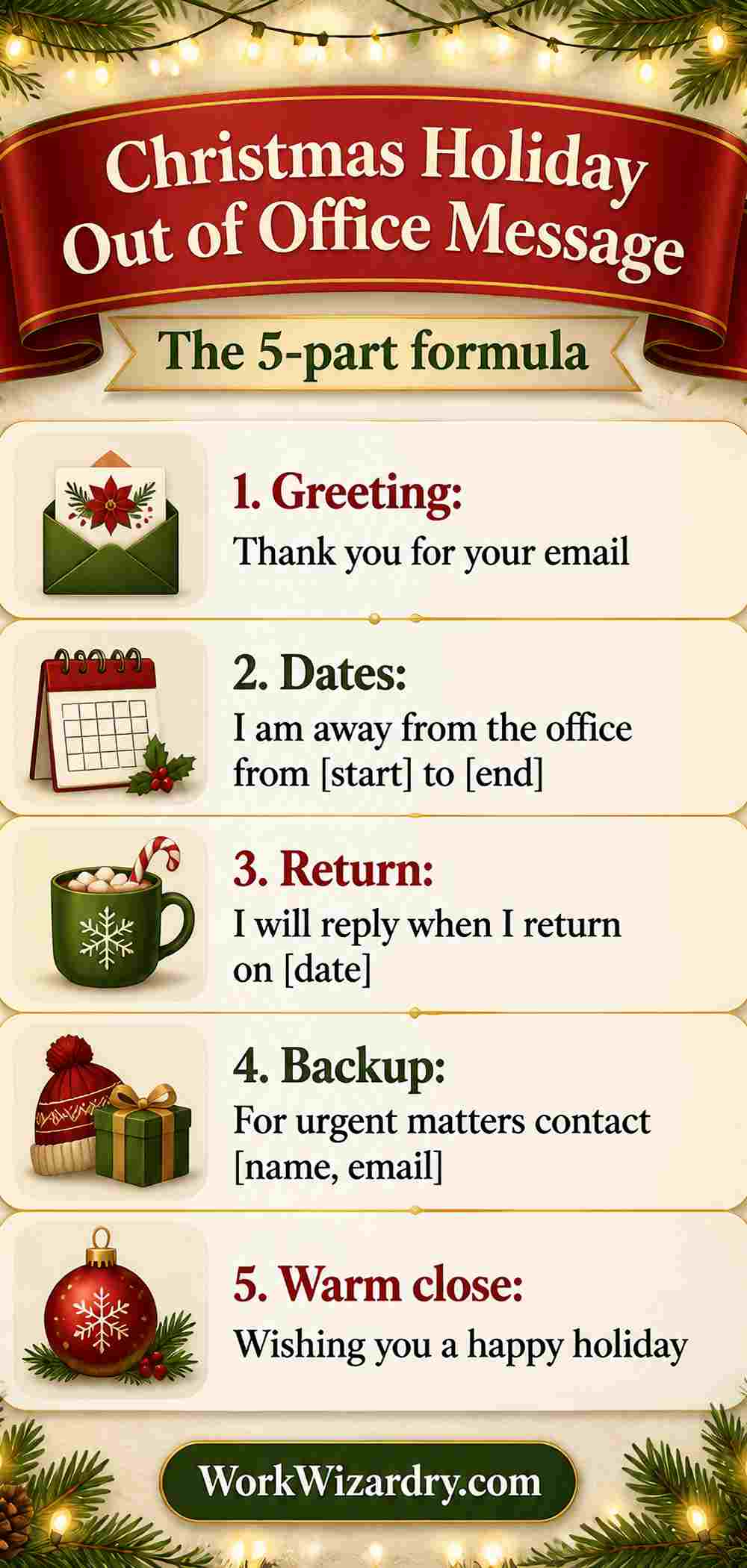
A holiday out of office message for clients should lean professional, and a Christmas out of office message short enough for a phone screen suits quick, informal replies.
Professional
Calm, clear and safe for any audience.
- Thank you for your message. I am out of the office for the Christmas holiday and will return on [DATE]. I will reply when I return. For urgent matters, please contact [BACKUP NAME] at [BACKUP EMAIL].
- I am away from [DATE] for the holiday period. I will respond to your message upon my return. For urgent matters, please contact [BACKUP EMAIL]. Season’s greetings.
- Thank you for contacting me. I am currently out of the office and will return on [DATE]. In my absence, [BACKUP NAME] at [BACKUP EMAIL] will be happy to assist you.
Warm
Kind and human, for clients and colleagues you know.
- Thank you for writing, and happy holidays! I am away with the people I love, and I will be back on [DATE]. I will reply to you then. For anything that cannot wait, please contact [BACKUP NAME] at [BACKUP EMAIL].
- Hello, and thank you for your message. I am taking a proper break to rest, and I will be back on [DATE]. I wish you a calm, happy holiday.
- Your message is important to me, and I will give it my full attention when I return on [DATE]. In the meantime, [BACKUP NAME] at [BACKUP EMAIL] can help. Warm wishes for the season.
Funny but safe
Clean, light and professional.
- I am out of the office until [DATE], eating more than I should and sleeping more than I planned. I will reply when I return. For urgent matters, please contact [BACKUP NAME] at [BACKUP EMAIL].
- My inbox is on holiday, and so am I. I will be back on [DATE] to catch up on everything. If it cannot wait, [BACKUP NAME] at [BACKUP EMAIL] is the person to ask.
- I have temporarily stepped away from my desk, my screen and my sense of urgency. I will return on [DATE]. Urgent matters: [BACKUP EMAIL]. Happy holidays!
Short and cool
Minimal, for people who dislike long autoresponders.
- Away for Christmas. Back on [DATE]. Urgent: [BACKUP EMAIL].
- Out until [DATE]. I will reply then. Happy holidays.
- Offline for the break. Back on [DATE]. Need something sooner? [BACKUP EMAIL].
Formal
For law, finance, government and senior leaders.
- Thank you for your correspondence. I am currently out of the office for the Christmas holiday and will return on [DATE]. Your message will be addressed upon my return. For matters requiring immediate attention, please contact [BACKUP NAME] at [BACKUP EMAIL].
- Please be advised that our office is closed for the Christmas holiday and will reopen on [DATE]. Correspondence will be answered in the order received. For urgent matters, please contact [BACKUP EMAIL].
- I acknowledge receipt of your message. I am away from the office until [DATE] and will respond on my return. Matters requiring immediate attention may be directed to [BACKUP NAME] at [BACKUP EMAIL].
Festive and creative
A little sparkle, still professional.
- Season’s greetings! I am away from my desk until [DATE], recharging for the new year. I will reply when I return. For anything urgent, please contact [BACKUP NAME] at [BACKUP EMAIL].
- Ho ho hold on! I am on a Christmas break until [DATE]. Your message will be waiting, and so will my reply. For urgent matters, please contact [BACKUP EMAIL].
- The lights are on, the inbox is off. I will be back on [DATE] with a fresh start and a clear head. If it is urgent, please reach [BACKUP NAME] at [BACKUP EMAIL].
Christmas Slack Status and Chat Messages
A Christmas Slack status is one line. Keep it under 70 characters, and clear it when you return.
- On Christmas break until [DATE]. Urgent: [BACKUP NAME].
- Away for the holidays. Back on [DATE].
- Offline for Christmas. Ping [BACKUP NAME] for urgent matters.
- Resting. Back [DATE]. Please do not tag me.
- Christmas break. For urgent items, contact [BACKUP NAME].
- On holiday, off the grid. Returning [DATE].
- Out of office for the holiday. [BACKUP NAME] is covering.
- Holiday mode. I will reply on [DATE].
- Away until [DATE]. Happy holidays, team.
- No messages until [DATE]. Urgent: [BACKUP NAME].
Christmas Voicemail Greeting Scripts
A Christmas voicemail greeting should be under 30 seconds and say the return date and who to call. These are Christmas voicemail greetings you can read aloud as they are, and funny Christmas voicemail greetings work best when kept short and clear.
- Hello, you have reached [Your name]. I am out of the office for the Christmas holiday and will return on [DATE]. Please leave a message, and I will return your call when I am back. For urgent matters, please call [BACKUP NAME]. Happy holidays.
- Hi, this is [Your name]. I am away until [DATE]. Leave your name, number and a short message, and I will call you back after the break. Thank you, and have a lovely Christmas.
- You have reached [Company name]. Our office is closed for Christmas and will reopen on [DATE]. Please leave a message, and we will respond when we return. For urgent matters, call [BACKUP NAME]. Happy holidays.
- Thank you for calling [Company name]. We are closed for the holiday. Our regular hours resume on [DATE]. If this is an emergency, please call [BACKUP NAME]. Otherwise, leave a message, and we will call you back. Merry Christmas.
- Hello, this is the support team. We are away for Christmas until [DATE]. Leave a message with your name and number, and we will reply in the order received. Happy holidays.
- You have reached the clinic. We are closed for Christmas until [DATE]. For a medical emergency, hang up and call your local emergency number. Otherwise, please leave a message, and we will call you back when we reopen.
- Hi, you have reached [Your name]. I am taking a Christmas break until [DATE]. I am not checking messages, but I will call you back as soon as I return. Thank you, and happy holidays.
- This is [Your name]. I am away for the holidays until [DATE]. For anything urgent, please call [BACKUP NAME]. For anything else, leave a message and I will call you after I am back. Have a restful Christmas.
LinkedIn and WhatsApp Business Away Messages
- Thank you for your message. We are away for Christmas and will reply from [DATE]. For urgent matters, please email [BACKUP EMAIL].
- Hi, and happy holidays! We are closed until [DATE]. Your message is saved, and we will reply when we are back.
- Thanks for reaching out on WhatsApp. Our team is on holiday until [DATE]. For urgent matters, please email [BACKUP EMAIL].
- Hello. I am away on a Christmas break until [DATE] and will reply to your message then. Happy holidays.
Chat Widget and Ticket Auto-Responder Text
A Christmas auto reply message for a website chat or help desk should set honest expectations, and a holiday auto reply message should say when a real person will answer.
- Our team is away for Christmas and will be back on [DATE]. Leave your question and email, and we will reply as soon as we reopen.
- We are closed for the holiday. You can find answers to common questions in our help center, or leave a message and we will reply from [DATE].
- Thanks for chatting! We are offline until [DATE]. Leave your email and your question, and we will get back to you in the order received.
- Your ticket has been received. Our team is on holiday until [DATE], so replies may be slower than usual. For urgent issues, please email [BACKUP EMAIL].
Website Banner Text
- Holiday hours: we are closed for Christmas and reopen on [DATE]. Orders placed during the break ship from [DATE].
- We are on a short Christmas break. Messages are answered from [DATE]. For urgent matters, email [BACKUP EMAIL].
- Our team is away for the holidays until [DATE]. Thank you for your patience, and happy holidays.
Internal and External Versions
Some systems let you send one reply inside your organization and another outside. If yours does, use a fuller message inside and a minimal one outside.
Check your own settings, since not every tool offers both.
- Internal: I am away until [DATE]. [BACKUP NAME] is covering my work and can approve urgent items. External: I am out of the office until [DATE]. For urgent matters, please contact [BACKUP EMAIL].
- Internal: Off for Christmas until [DATE]. Ping [BACKUP NAME] for anything urgent, and please do not forward my work to me. External: Thank you for your message. I will reply when I return on [DATE].
- Internal: The team is closed until [DATE]. Please check the on-call rota for emergencies. External: Our team is closed for the holiday and will reply from [DATE]. For urgent matters, please email [BACKUP EMAIL].
UK, Australia and New Zealand Wording
A Christmas out of office message UK readers expect names bank holidays and Boxing Day, while in Australia and New Zealand Christmas falls in summer.
United Kingdom
Say bank holiday and Boxing Day.
- Thank you for your email. I am out of the office for the Christmas and Boxing Day bank holidays and will return on [DATE]. For urgent matters, please contact [BACKUP NAME] at [BACKUP EMAIL].
Australia and New Zealand
Christmas falls in summer, so say summer break if you like.
- Thank you for your message. I am away on my summer break and will return on [DATE]. For urgent matters, please contact [BACKUP NAME] at [BACKUP EMAIL]. Wishing you a lovely Christmas and a relaxing summer.
- Our office is closed for the Christmas and summer holiday period and will reopen on [DATE]. Happy holidays from all of us.
Mixed global offices
Avoid assuming the same dates everywhere.
- Our offices observe different holiday dates. This office is closed from today and will reopen on [DATE]. For urgent matters, please contact [BACKUP EMAIL].
25 Out of Office Subject Lines for Christmas
A festive out of office message works best with a clear subject. Many systems add Automatic reply for you, so keep it short.
- Out of office: back on [DATE]
- Automatic reply: Christmas break
- Away for Christmas until [DATE]
- Out of office for the holidays
- Holiday closure: back on [DATE]
- Christmas break: urgent contacts inside
- We are closed for Christmas
- Out of office: Christmas holiday
- Autoreply: away until [DATE]
- Happy holidays: out of office until [DATE]
- Holiday hours and urgent contact
- Christmas closure notice
- On break until [DATE]
- Away from my desk until [DATE]
- Season’s greetings: out of office
- Out of office, back [DATE]
- Our team is on holiday
- Closed for the holidays, reopening [DATE]
- Quiet inbox until [DATE]
- Taking a break: back [DATE]
- Holiday auto-reply from [BACKUP NAME]’s team
- Support is closed for Christmas
- Reduced hours over the holidays
- Your message is safe with us until [DATE]
- Warm wishes and an out of office note
A Secure Out of Office Message: What to Leave Out
A secure out of office message gives the sender what they need and nothing an attacker could use. Security guides advise leaving out destinations, personal phone numbers, your chain of command, the exact length of your absence and who has authority.
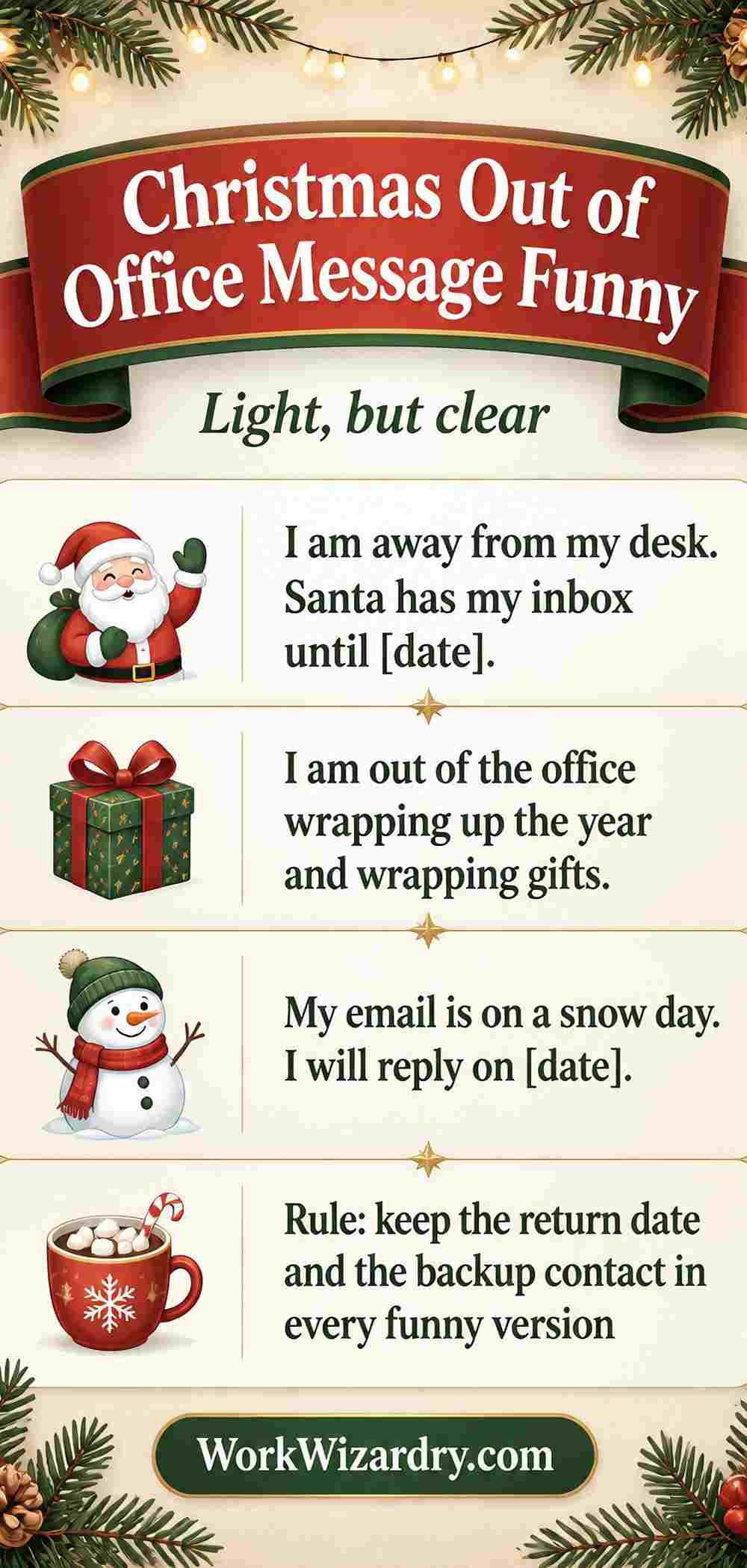
Keep the message short, and use a team address.
| Instead of | Say this | Why |
|---|---|---|
| I am flying to Spain with my family on December 20 | I am out of the office until [DATE] | Destinations and travel plans are useful to attackers |
| Call me on my personal mobile 07xxx | Contact [BACKUP EMAIL] | Do not publish a personal number in an automatic reply |
| My manager [Name] is covering my work | Please contact [BACKUP EMAIL] | A team address reveals less about your chain of command |
| I will be away for exactly 14 days | I will reply from [DATE] | The exact length of an absence is not needed |
| My colleague Priya Sharma, Head of Finance, approves payments | For urgent payment matters, please contact [BACKUP EMAIL] | Do not name people with financial authority |
| I am at home alone this week | I am out of the office until [DATE] | Never say who is, or is not, at home |
Three minimal messages
- Thank you for your message. I am out of the office and will reply from [DATE]. For urgent matters, please contact [BACKUP EMAIL].
- I am away and will reply when I return. For anything urgent, please contact [BACKUP EMAIL].
- Our team is closed for the holiday and will reply from [DATE]. Urgent matters: [BACKUP EMAIL].
How to Set Up a Christmas Out of Office Message
Menus change, so these are the common routes, including how to set up a Christmas out of office message Outlook users can follow. Check your own settings if a step does not match.
How to set up out of office in Gmail
- Open Gmail on a computer, click the gear icon and choose See all settings.
- On the General tab, scroll to Vacation responder (also called Out of office AutoReply) and turn it on.
- Set the first day and, if you wish, the last day.
- Write a subject and a message. In Google Workspace, you will also see a separate field for people in your organization.
- Tick the box to send replies only to people in your contacts or your organization if you want less exposure, then save changes.
Google says Gmail sends a repeat reply to the same sender only after four days, or if you edit the message. Personal Gmail accounts have one message field, and Google Workspace accounts also have one for people in your own organization.
How to set up automatic replies in Outlook
- In classic Outlook for Windows, choose File, then Automatic Replies (Out of Office). In the new Outlook, open Settings, then Mail, then Automatic replies. Menu names change between versions, so look for Automatic replies.
- Turn on automatic replies and tick Send replies only during this time period. Set start and end times.
- Write your message. Some Outlook versions let you write one reply for people inside your organization and another for people outside. Check your own settings to see if yours does.
- Choose whether to reply to contacts only or to everyone, and save.
Microsoft says the Out of Office Assistant sends one reply per sender, and the count resets if you switch the assistant off and on.
Before you leave: a short checklist
- Set your Slack or Teams status and set the status to clear on your return date.
- Change your voicemail greeting to match your email, with the same return date and the same backup.
- Pause or snooze notifications on your phone so you do not read email by habit.
- Send your covering colleague a handoff note: what is open, what is urgent and what can wait.
- Add a calendar block for the whole break, so meetings are not booked.
- Send yourself a test email from another account to check the message.
- Set a reminder for the day you return to turn the auto-reply off.
A handoff note for the person covering you
- List what is open and what has a deadline.
- Name the three things most likely to go wrong, and what to do.
- Say what can wait until you return.
- Give the contact details for your key clients, in a private note, not in the auto-reply.
- Say when you will check in, if at all. The best answer is never.
Mistakes That Go Wrong, and How to Fix Them
| Mistake | Fix |
|---|---|
| The auto-reply stays on after you return | Set a reminder on your return day, or set an end date when you start it |
| The return date is wrong | Test with a friend, and read the date aloud before you save |
| No contact is given | Always give one named person or one team address for urgent matters |
| The message is too long | Keep it under 80 words. People only need the date and the contact |
| Reply loops with another auto-reply | Mailing lists and other auto-replies can bounce back. Set your reply for contacts only, or avoid replying to automated senders |
| You share personal details | Leave out travel plans, personal numbers and who is covering what. See the security-safe version |
| A joke does not suit the reader | Use the professional version for clients and a lighter one for colleagues |
| You forget to set a status on chat | Match your Slack or Teams status to your email so there is one story |
Your First Day Back
- Do not open your inbox first. Open your calendar and your task list.
- Sort messages by sender, not by date. Reply to people first, then to newsletters.
- Reply to anything urgent within the first two hours. Everything else can wait for the second day.
- Turn off your auto-reply and your voicemail greeting.
- Thank the person who covered for you, in a sentence.
Free Out-of-Office Pack
Everything above is free, and so is this. The Out-of-Office Pack has:
- Word templates for emails, voicemail and Slack, and chat auto-responders, ready to edit.
- A before-you-leave checklist and a handoff note for the person covering you.
- A first-day-back triage plan.
- Two printable door and desk signs.
- An Excel Holiday Coverage Planner: enter a start date, names and days off, and it flags days with no cover.
- No year or date is printed, so you can reuse it every year.

Related Guides
| You need | Go to | What you will find |
|---|---|---|
| Christmas wishes between coworkers | Christmas wishes for colleagues | Peer messages |
| Messages from a manager to staff | Christmas messages to employees | Downward messages |
| What to write inside a card | Christmas card messages for coworkers | Cards and sign-offs |
| A message to your boss | Christmas wishes for your boss | Upward messages and group cards |
| Company messages to clients | Christmas messages from your company | Client messages and company cards |
| An out of office for the New Year | New Year out of office messages | For the first week of January |
Frequently Asked Questions About Christmas Out of Office Messages
What should a Christmas out of office message include?
Include your return date, what will happen to the email and one person or team address for urgent matters. Add a short, warm sign-off.
Keep it under about 80 words. For closed offices, add when you reopen and an emergency contact.
Leave out travel plans, personal numbers and long explanations.
How do I write a professional Christmas out of office message?
Use a calm, clear structure: say you are away for the Christmas holiday, give your return date, say you will reply when you return, name a backup for urgent matters and end with a simple holiday wish. Avoid slang, long jokes and personal details.
Read it once for tone before saving.
Can I use a funny Christmas out of office message?
Yes, if your audience would enjoy it and the humor is clean, such as an inbox on holiday. Keep the return date and backup contact clear, so the message still works.
For clients and formal contacts, use the professional version. A good rule is to joke only if you would in front of your boss.
Should I give a backup contact in my out of office message?
Yes. A named person or team address helps anyone with an urgent matter and shows care.
Check that the person agrees and knows what to cover. If no one is available, say so honestly and give your return date.
A team address is safer than a personal name or number.
How long should an out of office message be?
Aim for 40 to 80 words. People need the dates, what happens next and who to contact.
Longer messages are rarely read and can reveal too much. A one-line version works well for chat and social.
For clients, add one line about when you will reply.
What is a safe out of office message for security?
Keep it minimal: you are away, you will reply from a date and urgent matters go to a team address. Leave out destinations, personal mobile numbers, the length of your absence, your manager’s name and who has authority.
If your email allows, use a shorter version for people outside your organization.
How do I set up a Christmas out of office in Gmail?
Open Settings, then See all settings, then the General tab, and turn on Vacation responder. Set the first and last day, write a subject and message and save.
Gmail sends a repeat reply to the same sender only after about four days, or if you change the message. Workspace accounts get an extra internal field.
How do I set up automatic replies in Outlook?
In classic Outlook choose File, then Automatic Replies. In the new Outlook, open Settings, then Mail, then Automatic replies.
Turn on replies, set start and end times and write your message. Outlook generally sends one reply per sender.
Menu names vary by version, so look for Automatic replies.
What should I say on my Christmas voicemail greeting?
Say who you are, that you are away for Christmas, the date you return and what callers should do: leave a message or call a backup in an emergency. Keep it under 30 seconds and speak slowly.
Match the return date to your email so people hear one story.
What is a good Christmas out of office message for customer service?
Say the team is closed for Christmas, give the reopening date, promise replies in the order received and give one urgent contact. For emergencies, point to emergency services if relevant.
Add a friendly sign-off. Keep the promise realistic, because the first day back often brings a large queue.
Do I need to mention Christmas in my out of office?
Not always. If your audience is mixed, holiday season or the holiday period works well and includes everyone.
If your workplace or clients celebrate Christmas, naming it feels warm. The date and backup contact matter far more than the holiday name, so choose the wording that fits your audience.
When should I turn off my out of office message?
Turn it off on the morning of your return, or set an end date when you create it. Set a reminder as well, because a forgotten auto-reply makes people think you are still away.
Also clear your Slack or Teams status and change your voicemail greeting back.
Sources: Google, Send an automatic reply when you are out of office; Microsoft, One reply sent per sender; Kaspersky, Out-of-office replies: how not to spill too many beans; Grammarly, Holiday out of office message.
Good to know: All 123 messages are original to this guide and are written as ready-to-send starting points. Check your return date and backup contact before you save. Menu names in Gmail and Outlook change between versions, and some Outlook versions may not offer separate internal and external replies. Security advice is general guidance, not a substitute for your IT team’s policy. We do not quote or reuse any other site’s wording.
